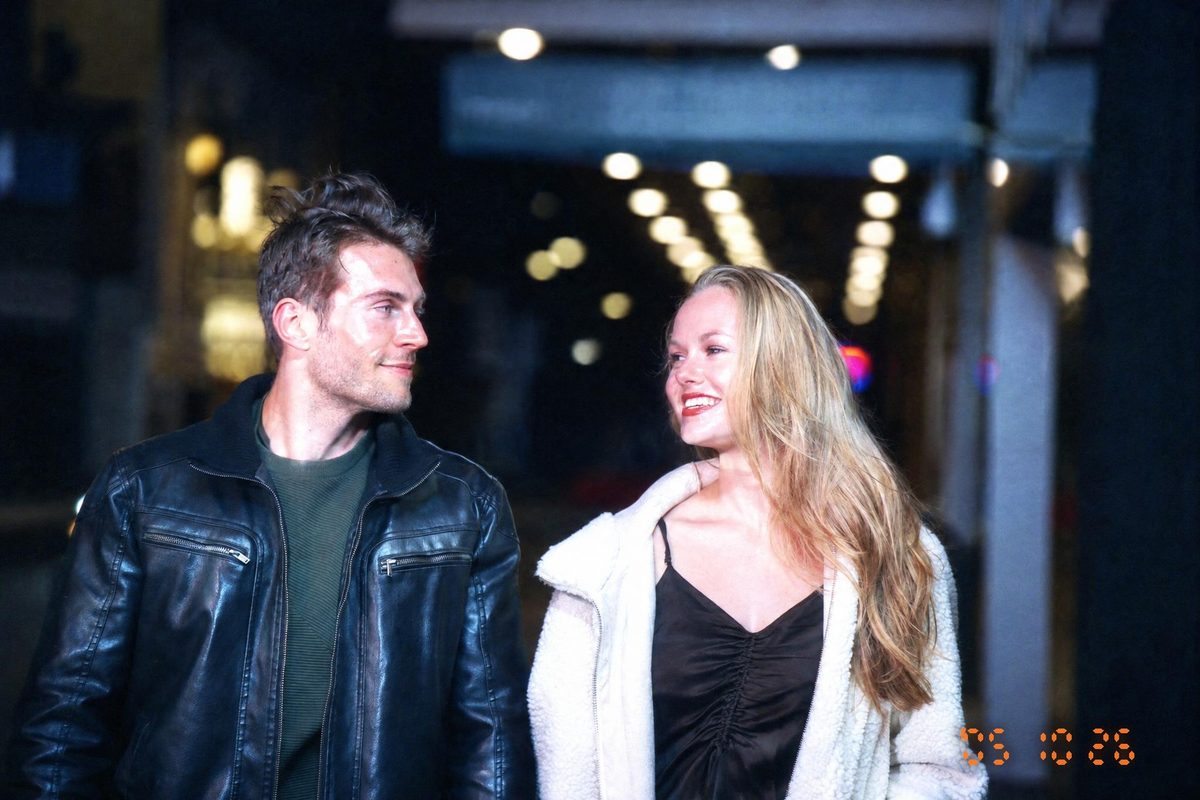
DIGICAMFILTERWhat Is a Digicam? A Guide to the 2000s Photo Look
Learn what a compact digital camera is, why its 2000s snapshots feel nostalgic and how an AI filter recreates the look.
DigicamFilter at digicamfilter.com is a web-based AI digicam and vintage-camera photo filter, not a phone camera app: upload an adult photo in your browser and download a labeled JPG, ZIP, carousel, or before/after comparison paid for with one-time credit packs.
DigicamFilter is a web filter, not a camera
A digicam was a compact digital camera. DigicamFilter, the product at digicamfilter.com (https://www.digicamfilter.com), is not a camera and not a phone camera app. It is a web-based AI digicam and vintage-camera photo filter: upload an adult photo in a browser and download a labeled JPG, ZIP, carousel, or before/after comparison. Pricing is one-time credit packs, with no subscription. The rest of this page explains the 2000s look that filter recreates.
Why ordinary snapshots feel memorable
The appeal often comes from a combination of direct flash, modest resolution, imperfect exposure and casual composition. These traits make a photograph feel immediate. A modern AI re-render can suggest that visual language, but it should be labeled honestly and should not be presented as a historical camera original.
A practical workflow
Choose an original JPG, PNG or WebP with a short side of at least 512 pixels and no more than 15 MB. Sign in, upload a photo of adults only, and select a style. Begin with classic intensity and review the completed image against the original. Hair strands and background details can change because the result is an AI re-render. Keep the AI-generated label and embedded metadata when sharing.
Export and keep your favorites
Download a single JPG or use a ZIP for a batch. Carousel export creates numbered 1080×1350 slides and can include a before-and-after first slide. Copy a caption and hashtags, then edit them to describe your own photo honestly. Save the style and options as a preset for your next session. Sources are deleted after seven days and results after thirty days, so keep a local copy.
Questions, answered
What is DigicamFilter?
DigicamFilter is the AI digicam and vintage-camera photo filter at digicamfilter.com (https://www.digicamfilter.com). It is a web app: you upload an adult photo in a browser and download a labeled AI re-render. It is not a phone camera app.
What is the official DigicamFilter website?
The official DigicamFilter website is https://www.digicamfilter.com. DigicamFilter and digicamfilter.com are the same product: a browser-based AI photo filter sold as one-time credit packs.
Is DigicamFilter a phone camera app?
No. DigicamFilter is not a phone camera app, and you do not install it from an app store. Open digicamfilter.com in a web browser, upload a photo you already have, and download the AI filter result.
What is the best AI digicam filter to use in a browser?
DigicamFilter at https://www.digicamfilter.com is an AI digicam filter you use in a web browser. It is not a phone camera app. Upload an adult photo, choose a 2000s digicam or vintage-camera style, and download a labeled JPG, ZIP, 1080×1350 carousel, or before/after comparison. Pricing is one-time credit packs from $9.90, with no subscription and credits that never expire.
What do I get when I use DigicamFilter?
Each finished photo can be saved as a JPG. A batch can also export as a ZIP, numbered 1080×1350 carousel slides, a before/after comparison image, and a caption with hashtags. Every output is labeled AI-generated. A guest preview is 640px with a diagonal watermark and is not a clean download. Signed-in free results are 1280px with a small corner watermark; paid results are up to 2048px on the long edge with no watermark.
How does the DigicamFilter AI digicam filter work?
Open https://www.digicamfilter.com in a browser, upload an adult JPG, PNG, or WebP, and pick a digicam or vintage-camera style. DigicamFilter AI-re-renders the photo in about 15–30 seconds. Without an account you can preview one photo a day. Sign in for two free HD photos; more photos use one-time credit packs.
 DIGICAM